You open your AI coding tool of choice, type out a feature request, and watch the agent confidently start building.
For a few minutes, it looks like it’s working. Then something breaks. The agent patches it. That breaks something else.
Before long, it’s editing files you didn’t ask it to touch, the conversation is a mess, and you’ve spent more time untangling the output than you would have spent writing the code yourself.
Plenty of builders have walked away from that experience convinced that AI agents just aren’t ready for real software projects.
I used to think the same thing. Then I realised the agent was never the problem.
The real problem is the workflow.
What Every Broken Agent Workflow Has in Common
Photo by Emilipothèse on Unsplash
Here’s the pattern.
You ask your AI agent to do two completely different things at the same time.
First, understand the system: what routes exist, which APIs are involved, what the schema looks like, what could break, what the deployment constraints are. Second, modify the system: write code, run tests, ship the feature.
No good engineer jumps straight to modifying. They investigate first. They build a map of reality before they start changing anything.
When you ask an agent to investigate and implement at the same time, it has to guess at the parts it doesn’t know. And it will. Confidently. That’s where the chaos comes from.
The fix isn’t a smarter model. The fix is a better process.
Externalise Everything
Most people treat agent memory as the bottleneck. If only the context window were longer, they think, the agent would stay on track.
But that’s not how human engineers work either.
When a developer joins a project, they don’t hold the entire codebase in their head. They rely on documentation, tickets, commit histories, release notes, and plans. The project stores the context. The engineer just reads it.
AI agents should work the same way.
Three things need to live outside the chat window:
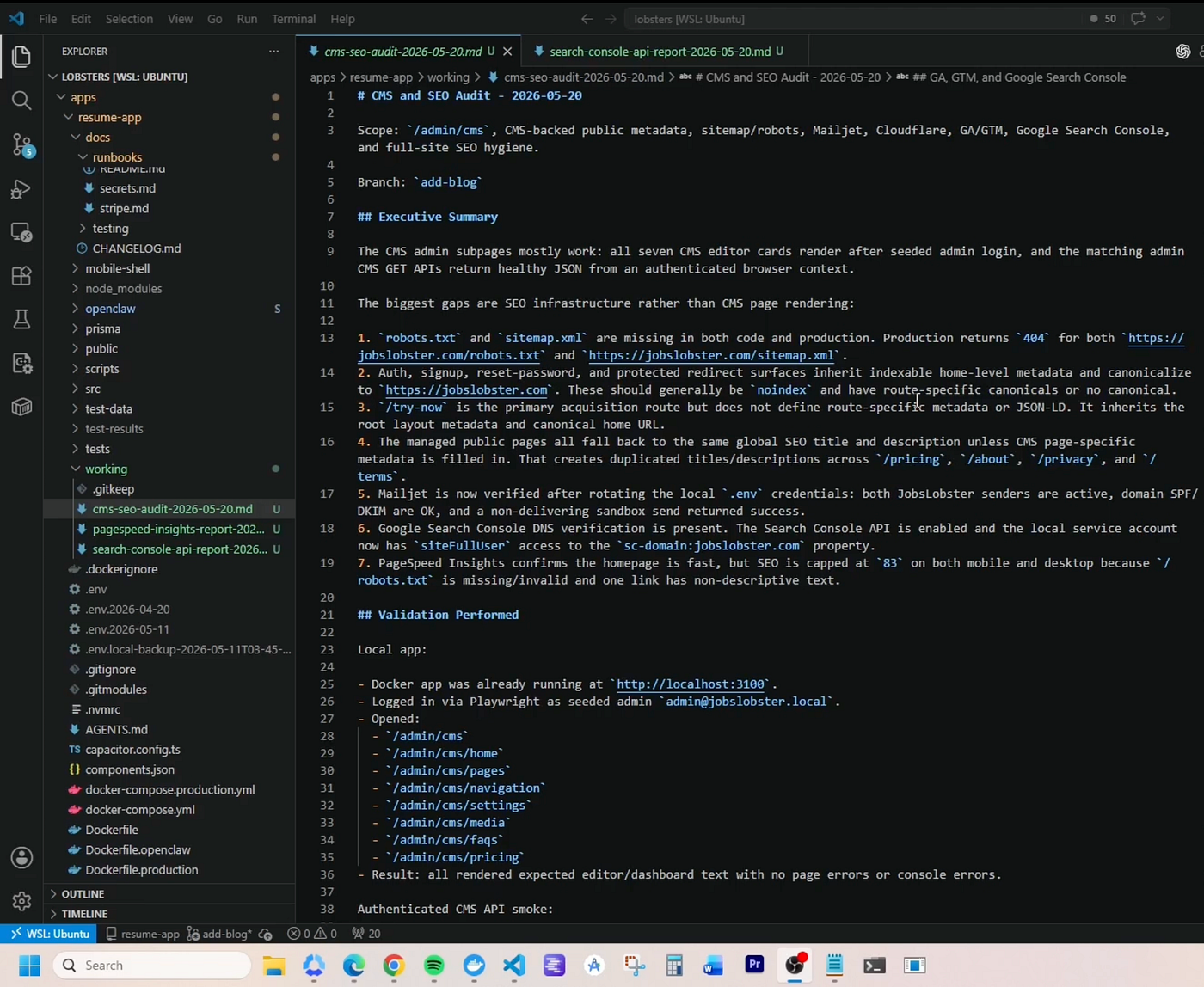
1. An investigation document. Before any implementation begins, the agent reads the codebase and writes down what it finds. Every relevant route, API, schema, and production constraint.
This isn’t a summary. It’s a map. For my JobsLobster blog CMS build, this document ran to thousands of words. It covered media systems, SEO handling, CMS architecture, release workflows, and deployment considerations. All before a single line of code was written.
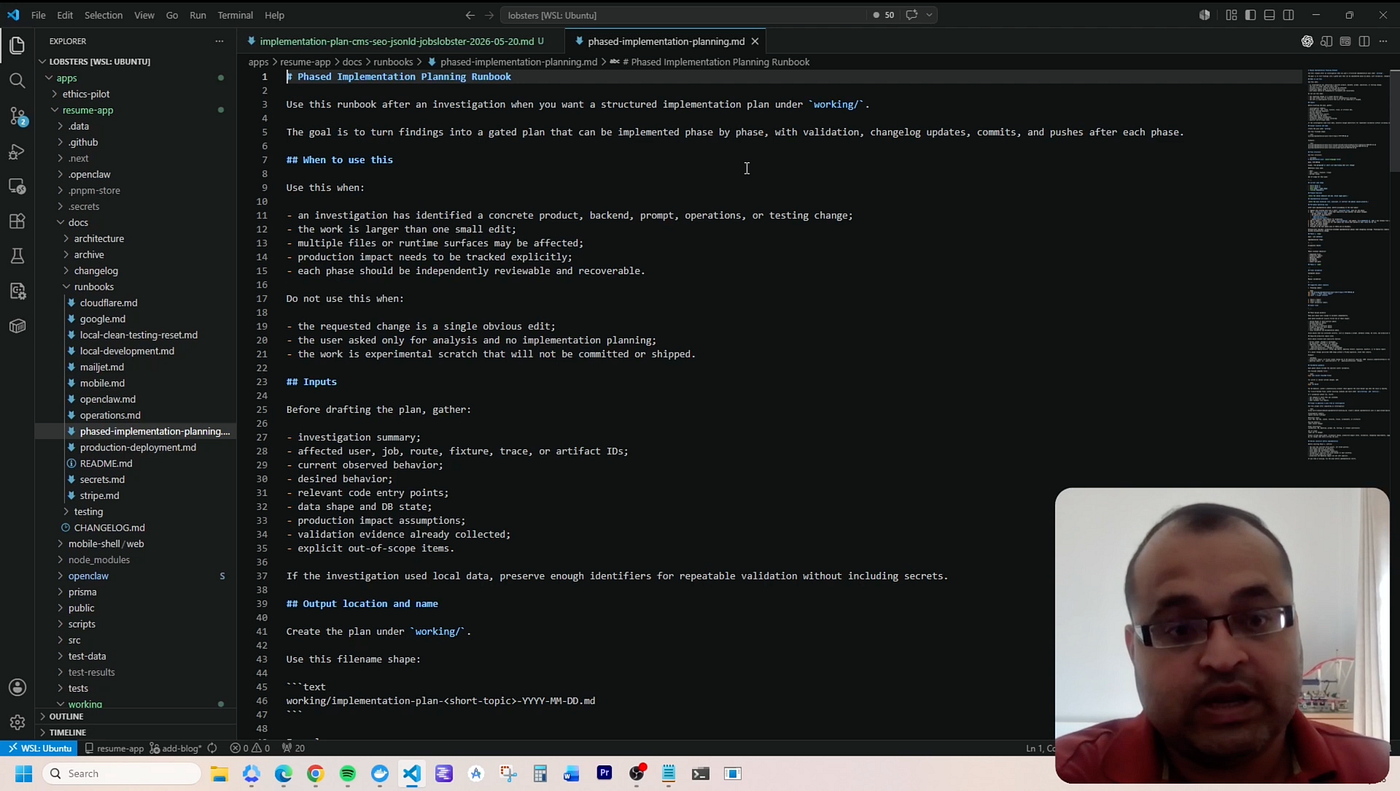
2. A phased implementation plan. Not “build it then test it.” A structured plan with phases, where each phase has a specific goal, implementation steps, validation criteria, acceptance checks, production impact notes, and a commit point.
A quick look of how my phased implementation plan looks like
This matters because agents are surprisingly competent at completing small, well-scoped pieces of work. They’re surprisingly poor at tracking a 50-step project end-to-end.
3. A running change log. Every phase ends with a documented record of what changed, what was validated, and what the production impact is. This log becomes the externalised history of the project.
When these three things exist, the agent doesn’t need perfect memory. It needs to read.
The Phase Nobody Includes (But Should)
Before implementation starts, there’s one more thing worth building in.
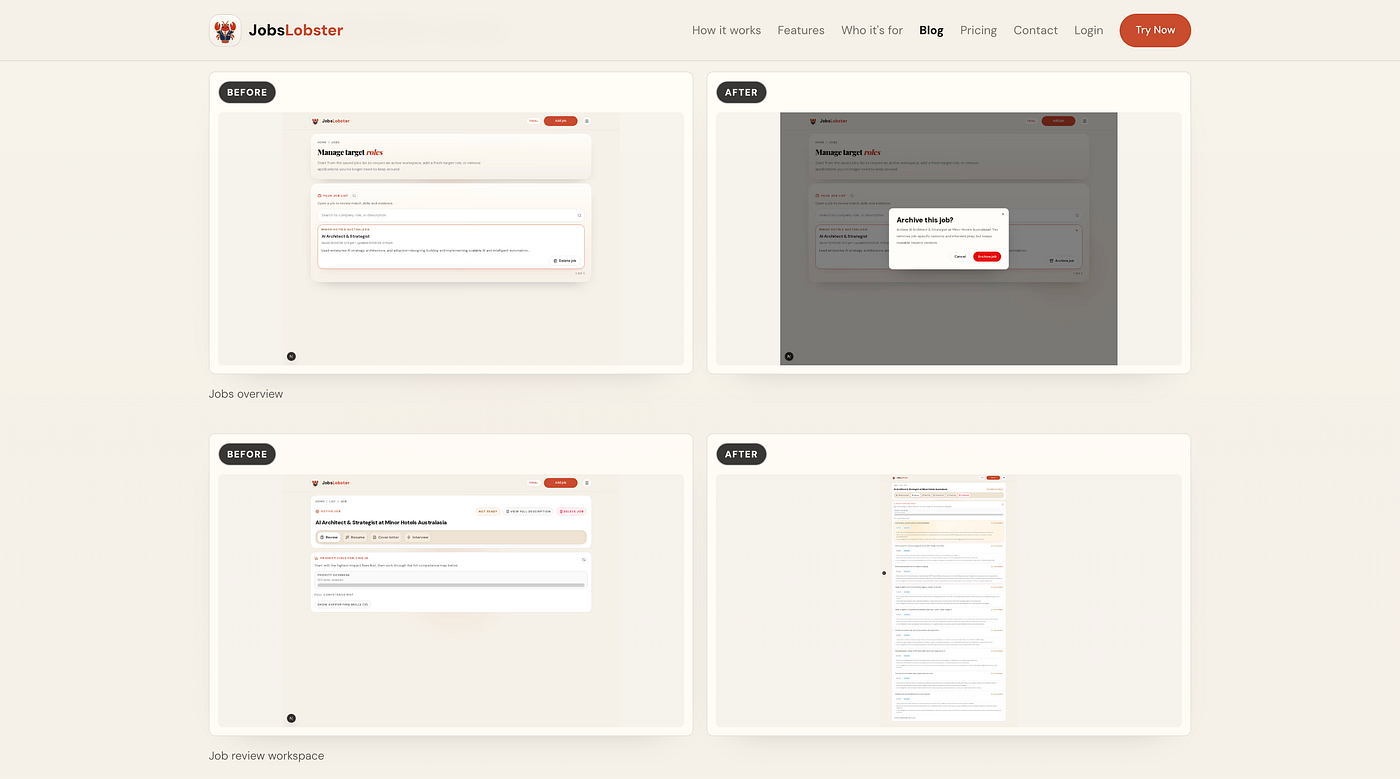
Call it Phase 0. Before the agent changes anything, it lists every screen that will be affected, captures screenshots, records its assumptions, and notes any production risks. Release notes and before-evidence, written up while everything still looks the way it currently looks.
This sounds like overhead. It isn’t.
If you don’t document what “before” looks like, you have no baseline to evaluate “after” against. You can’t validate a change if you don’t know what you’re comparing it to. Most AI workflows skip this, which is part of why the output feels so hard to verify.
On the JobsLobster blog, you’ll find before-and-after screenshots on every release post. That’s Phase 0.
The before-and-after screenshot on release posts (Source: JobsLobster Blog)
It’s not always perfect, but it gives the whole project a clear reference point.
The Loop That Keeps Projects on Track
Photo by Mohammad Rahmani on Unsplash
Once the phases are structured, implementation follows a defined loop.
The agent completes one phase. Then, before it moves to the next:
It updates the plan to reflect what changed
It records the production impact
It runs validation
It updates documentation
It commits and pushes
If there’s a blocker, it stops and flags it for input. If there’s no blocker, it moves forward.
This gives the agent something it almost never has: a current, accurate map of where the project stands. What’s done, what’s remaining, what risks are live, what validations have passed.
And critically, that map lives in a document, not in the conversation thread. It survives dropped connections, credit limits, and context resets.
What Happens at the End
Photo by ilgmyzin on Unsplash
The final phase of any project in this system isn’t coding. It’s shipping.
Archive the investigation. Archive the plan. Finish validation. Update the change log. Merge. Deploy. Generate release communications.
In my own workflow, the agent drafts a blog post from the release notes at the end of every build. I’ve pushed this to the point where those posts now autopublish straight to the JobsLobster blog. Before-and-after screenshots, a bullet list of every change, and a release number that syncs back into the app itself.
Are there things I’d improve? Plenty. The image captions aren’t always what I’d want. I’d also like to fire off a user email and cross-post to LinkedIn. The OG images currently pull from Unsplash, which isn’t ideal. But these are polish-level fixes on a system that already works reliably.
The principle underneath all of it is this:
A feature isn’t done when the code compiles. It’s done when the change is documented, validated, deployable, and explainable.
The Question Worth Asking
Photo by Alex Knight on Unsplash
Most people trying to improve their agent workflows ask, “How do I get the agent to write better code?”
That’s the wrong question.
The right question is:
How do I build a system that helps the agent finish real projects?
Code quality is a means to an end. What matters is shipped features, users getting value, and a product that keeps moving forward.
My system, stripped back to its core: investigation, planning, phased implementation, validation, documentation, deployment.
It works because software projects have always needed structure. The agent didn’t change that requirement.
Once you provide a structure that the agent understands, it stops behaving like an autocomplete engine and starts behaving like a junior engineer.
That’s the real unlock.
This workflow is used across all active projects at Elephant Stripes, including JobsLobster. Subscribe toElephant Stripes’ YouTube Channel to get more tips on leveraging AI agents.